A Day with ChatGPT and Lego!
tl;dr: GPT-3.5 and GPT-4 models can generate Lego instructions that appear plausible. However, they may be incomplete or include occasional incorrect or imprecise steps. Therefore, it’s unlikely that you could build a model using these instructions alone. Nevertheless, the fact that these models can generate textual Lego instructions at all is impressive, as such instructions are notoriously difficult to find.
A few weeks ago, I noticed my Lego sets, and felt a strong urge to play with them! Since our friendly AIs now have a reputation of being good at creative tasks, I thought I’d invite them to the game!
DALL.E on the Task
First, I asked DALL.E to generate instructions for making a Lego car. Here is the prompt I gave to it, and the result that I got. Not at all what I was hoping for.
Me: step-by-step Lego instructions for building a small car from Lego bricks
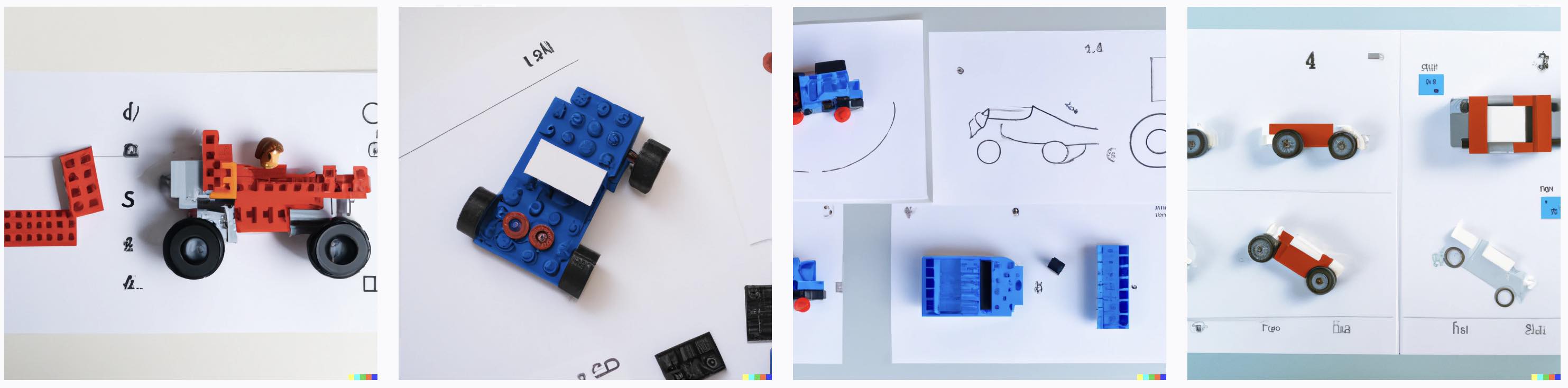
I could not think of how to improve my prompt, so instead I thought I’d ask it to generate IKEA-style instructions for building a table with three legs. This is what I got:
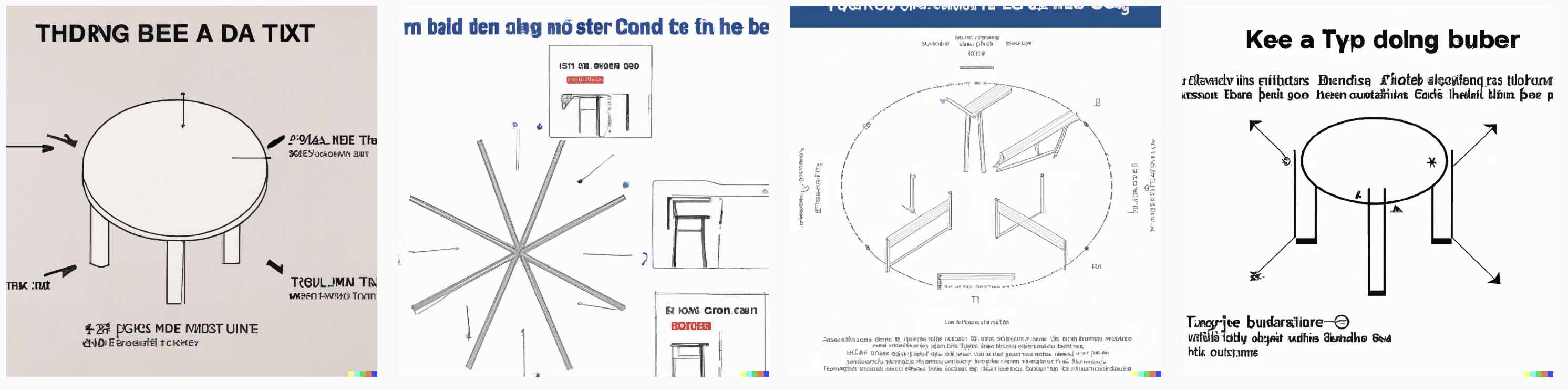
Again, not what I was looking for! Normally, I’d tweak my prompt to see if I could get any better results, but this time I wanted to get to my Lego playing, and was not in the mood to argue with DALL.E. So I moved on to ChatGPT!
ChatGPT Knows the Game
This is the free version of ChatGPT, with the GPT-3.5 model.
Me: Please generate descriptive Lego instructions for building a small car from Lego bricks.
The response from ChatGPT was very detailed and long:
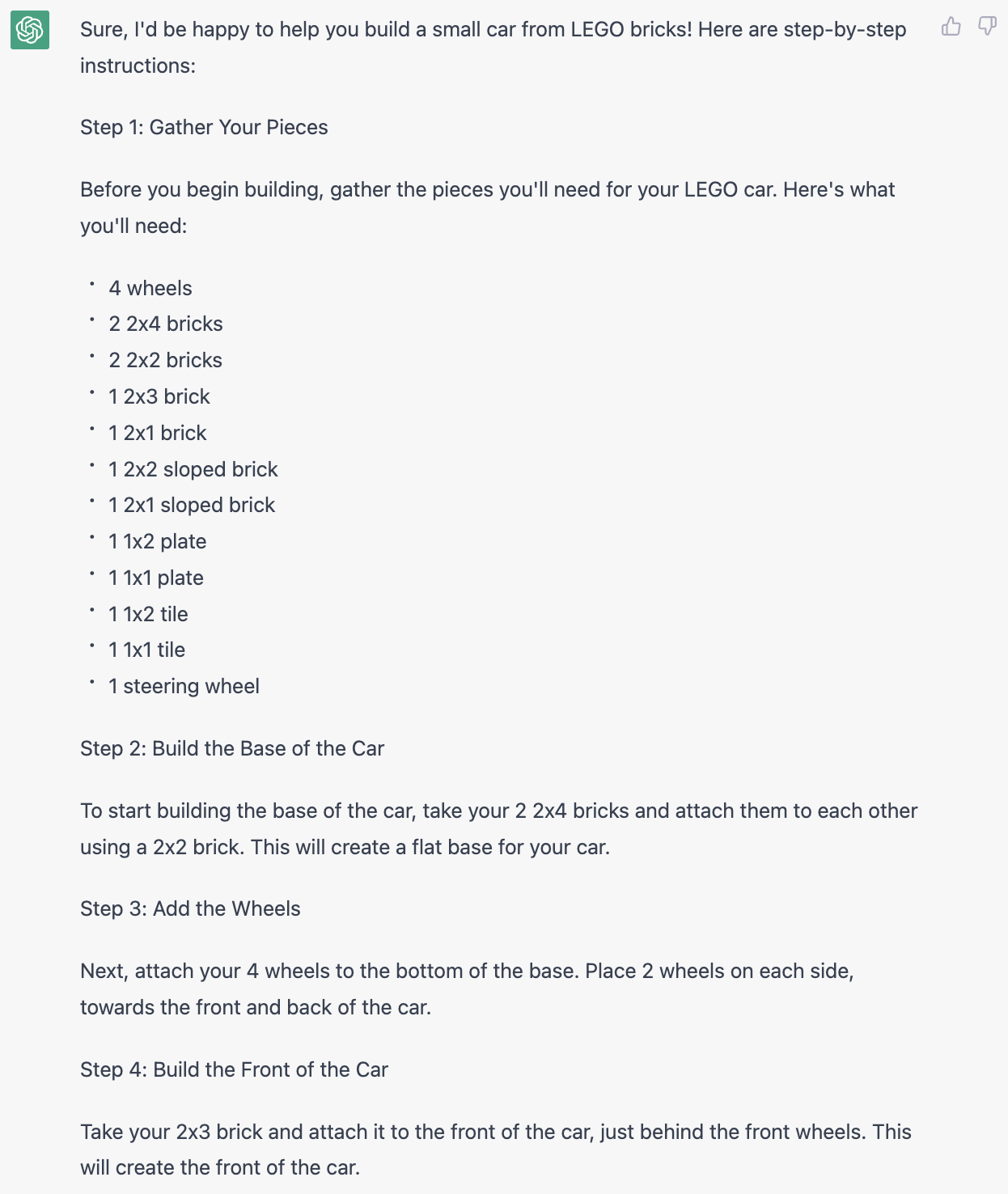
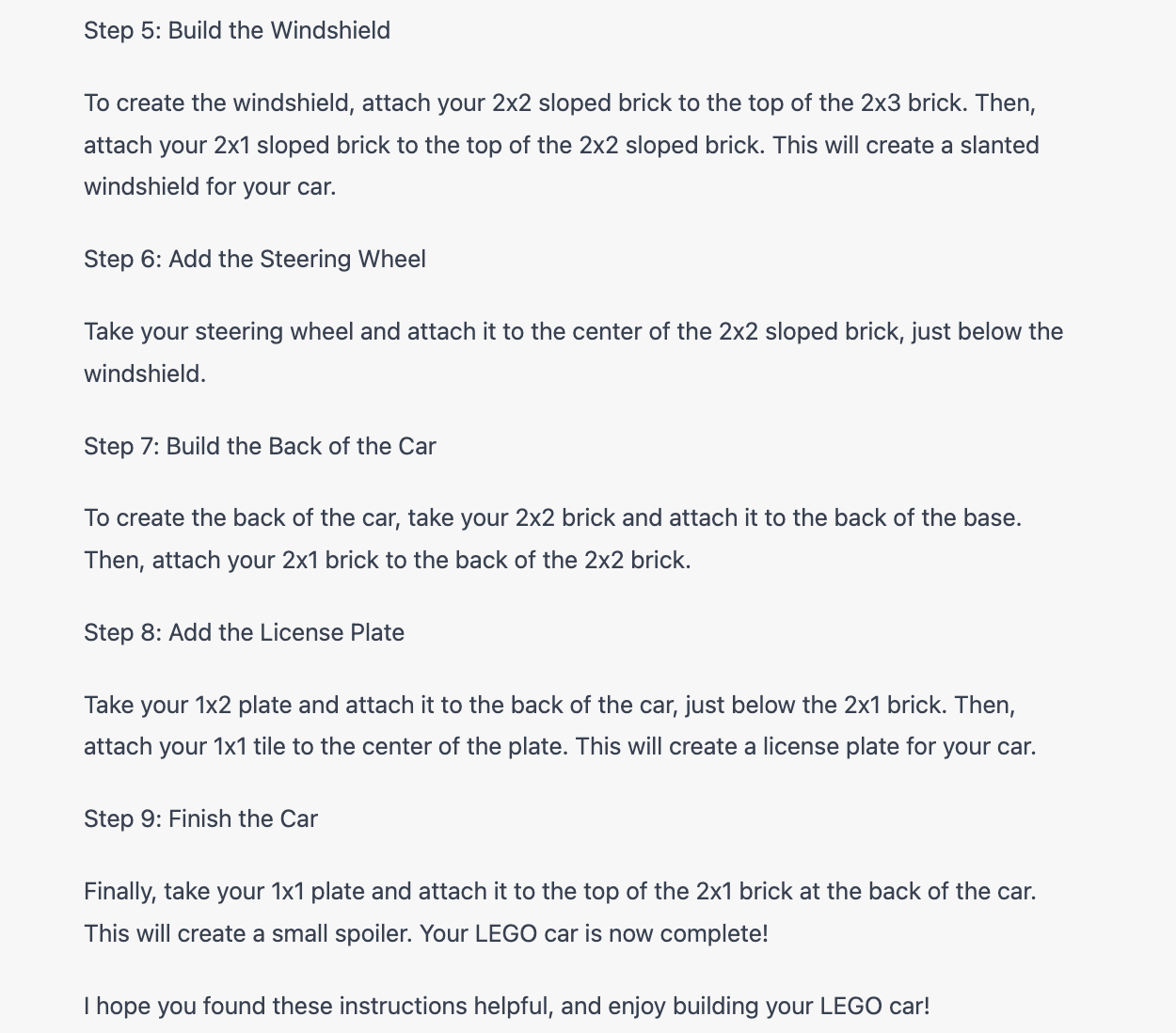
This looks really good. I like how ChatGPT starts by listing the ingredients, and has numbered the steps. Let’s see if I can follow these instructions to build a Lego car!
Step 1: Gathering Pieces
Step 1: Gather Your Pieces
…
4 wheels
2 2x4 bricks
2 2x2 bricks
1 2x3 brick
1 2x1 brick
1 2x2 sloped brick
1 2x1 sloped brick
1 1x2 plate
1 1x1 plate
1 1x2 tile
1 1x1 tile
1 steering wheel
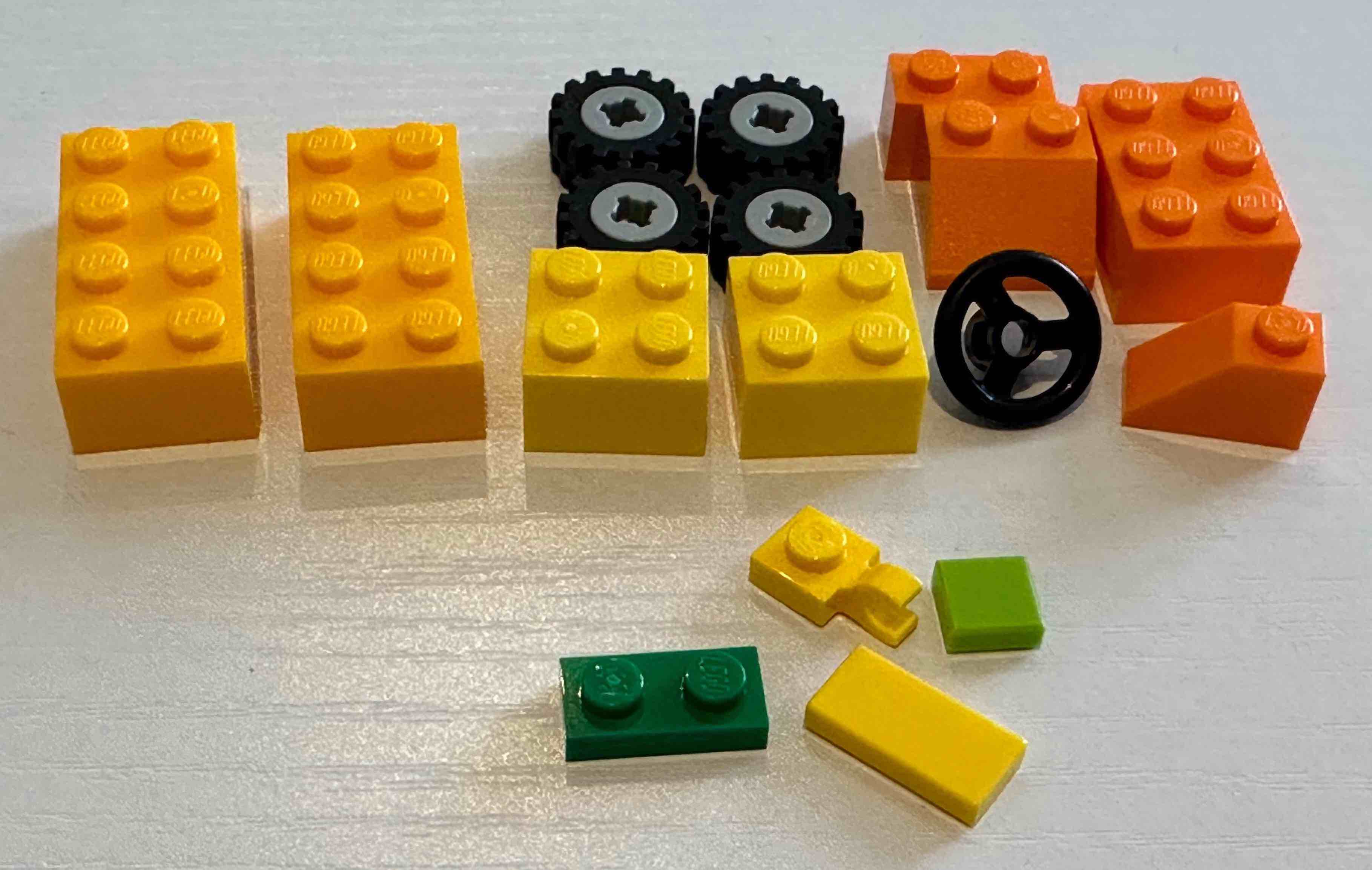
Figure 1-a below shows the pieces I gathered.
- In all Lego sets I’ve seen, the tires and the bolts are separate pieces and you have to put them together to get your wheels. ChatGPT did not point that out, which is different from normal Lego instructions. It also did not specify the wheel size.
- I could not find a 1x1 plate in any of my Lego sets, so I am instead using a 1x1 plate with a horizontal clip!
Step 2: The Base of the Car
Step 2: Build the Base of the Car

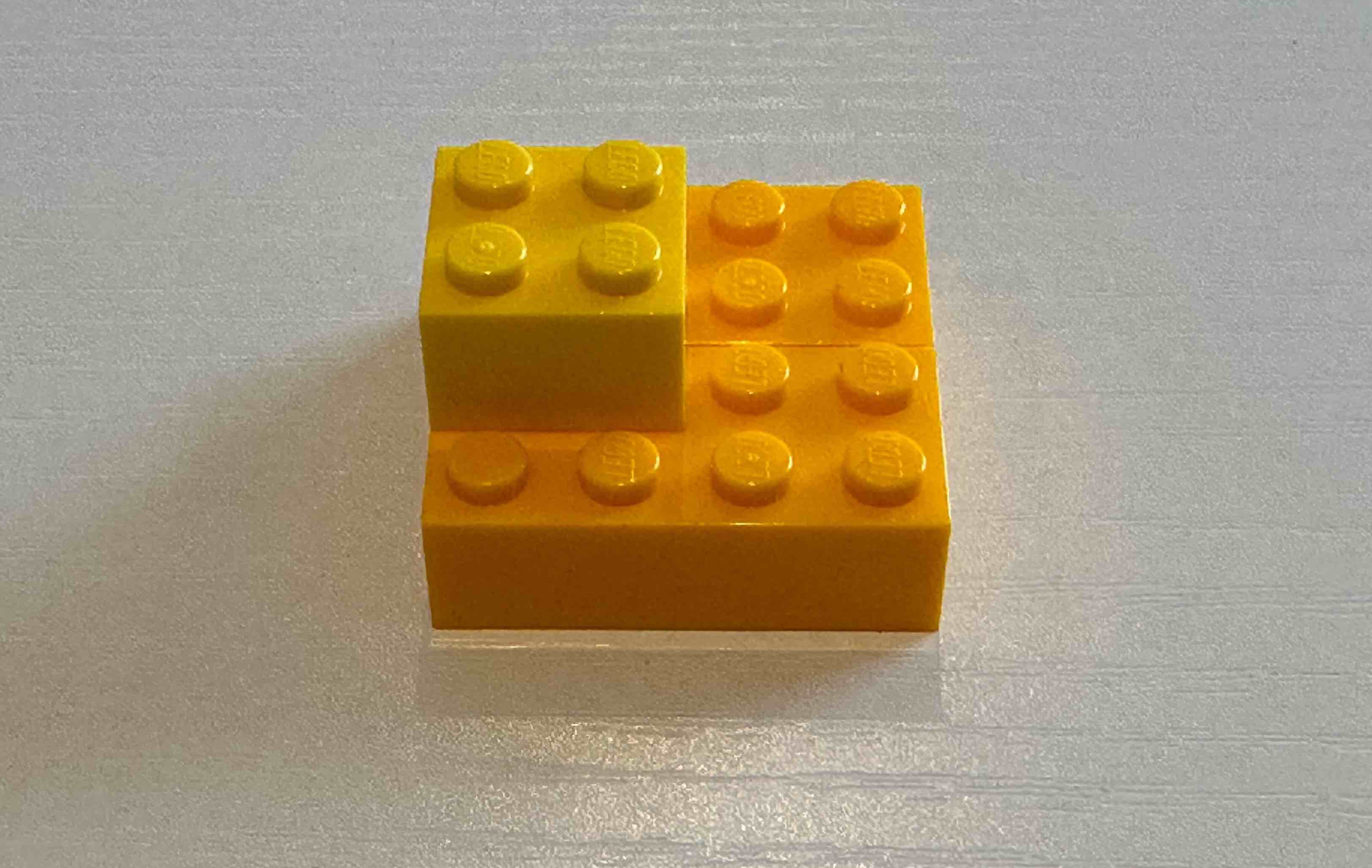
To start building the base of the car, take your 2 2x4 bricks and attach them
to each other using a 2x2 brick. This will create a flat base for your car.
 |
 |
|---|---|
| 1-a | 1-b |
Figure 1-b shows the result of this step. I guess you could do it differently, but I am fine with this one.
Step 3: Add the Wheels
Step 3: Add the Wheels

Next, attach your 4 wheels to the bottom of the base. Place 2 wheels on each
side, towards the front and back of the car.
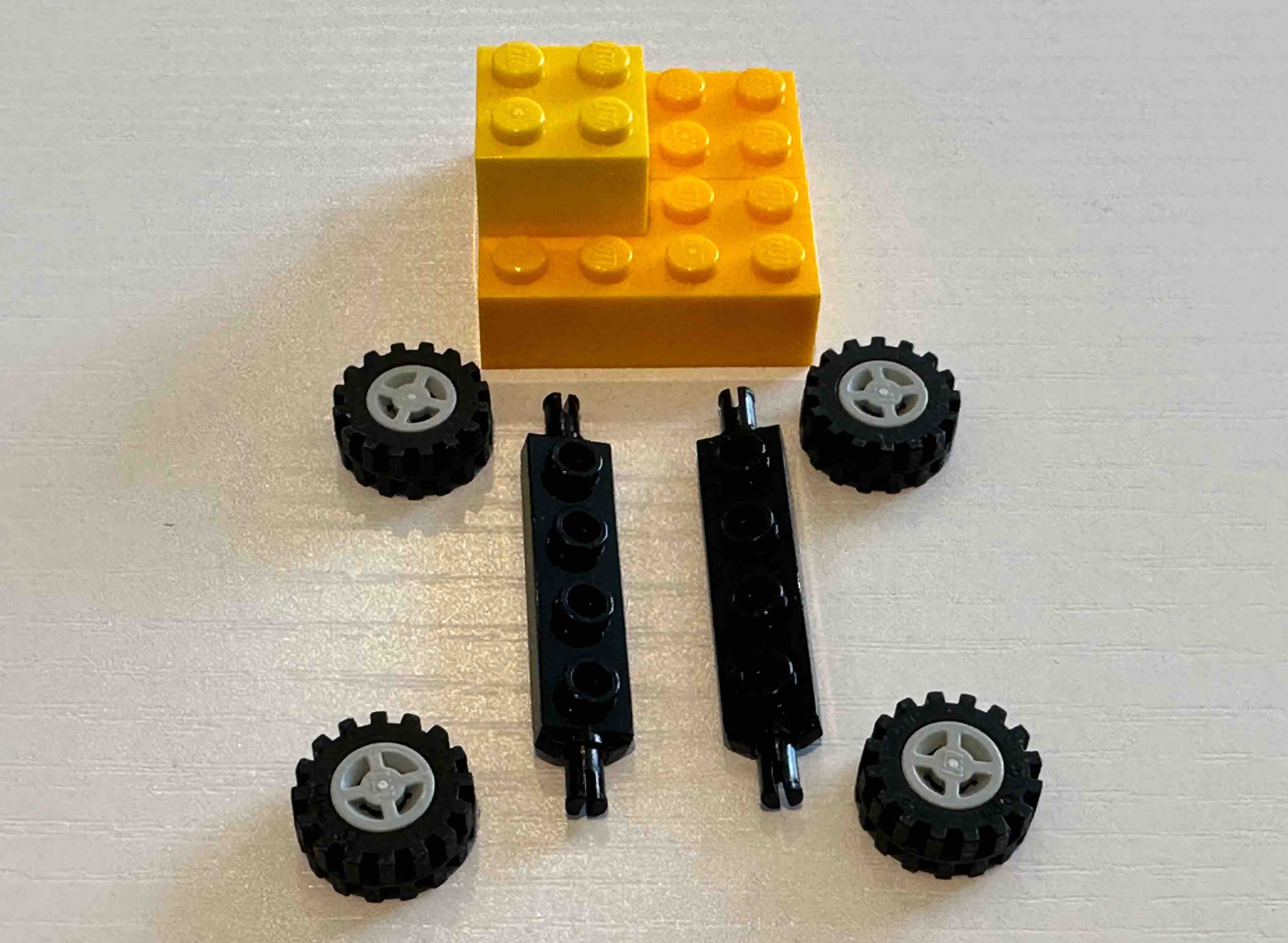
This is where things get complicated! With the pieces from step 1, and the instructions in this step there is no way to directly attach the wheels to the base of the car. Or if there is, my imagination cannot go that far! I need an additional piece to attach the wheels to. I asked ChatGPT for help.
Me: How do I attach the wheels to the base of the car?
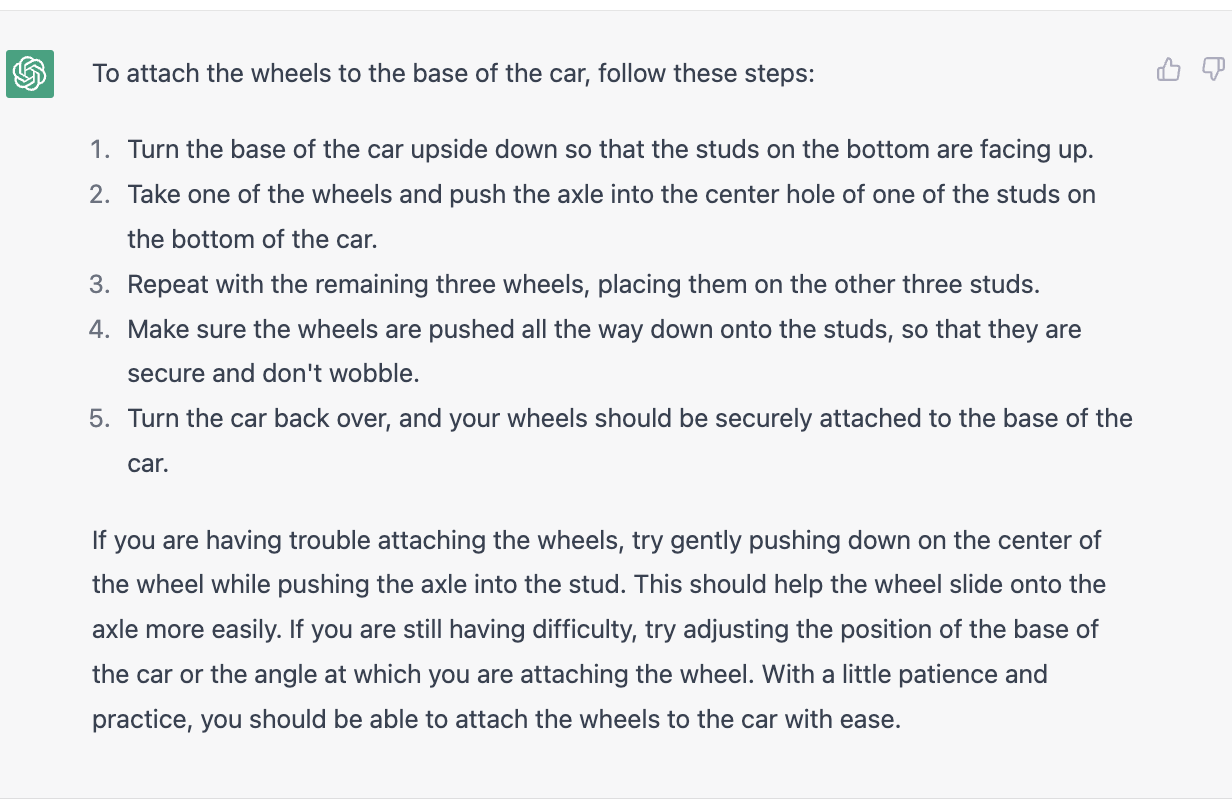
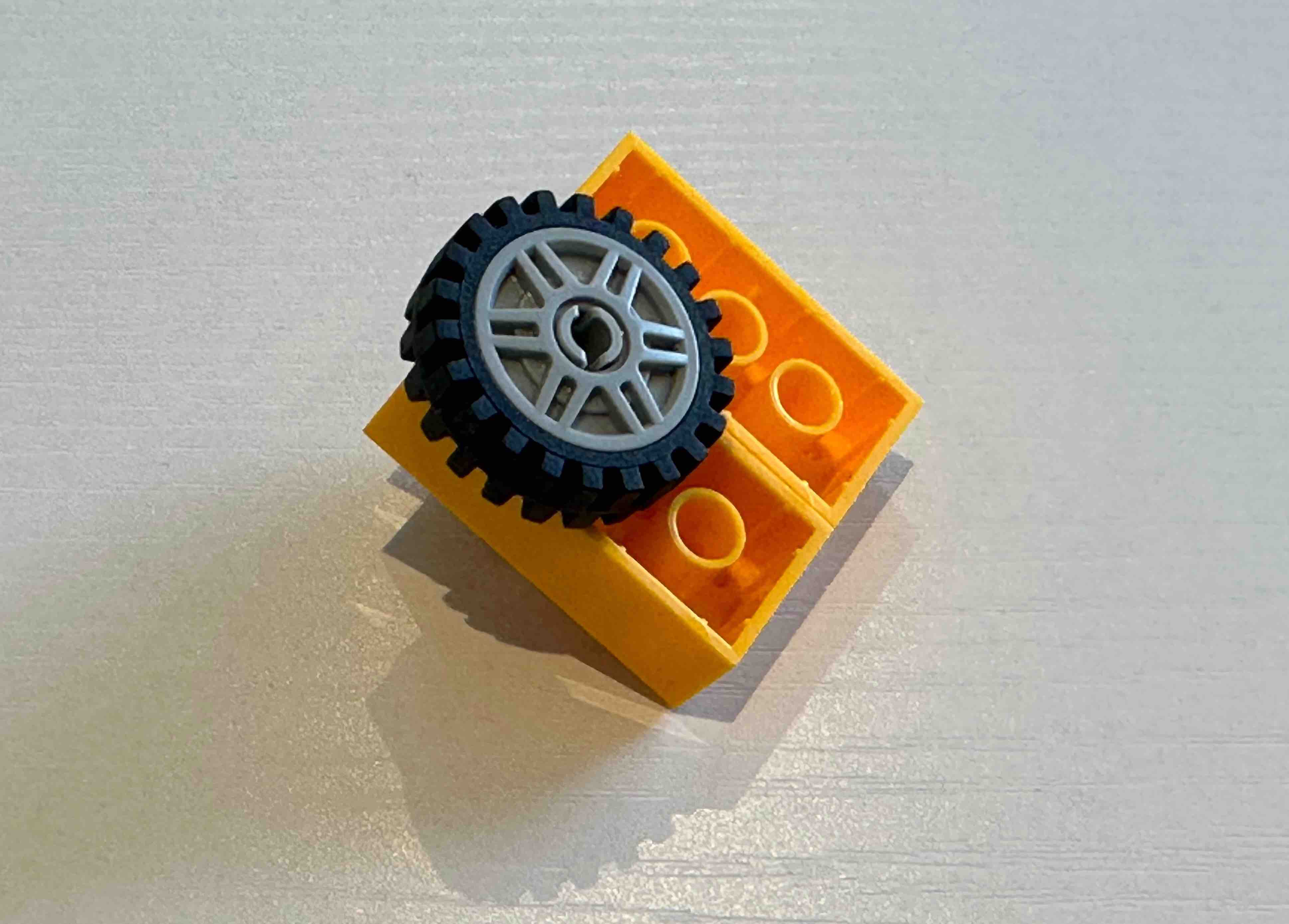
There was no mention of an axle in the first step. That is a new piece we need. Ignoring that part, I think ChatGPT is telling me to build what I’ve shown in Figure 2-a! The additional advice at the end is marvelous. I am not sure what kind of car, axle, wheel, or angle it is talking about now.
 |
 |
 |
|---|---|---|
| 2-a | 2-b | 2-c |
Anyway, to make progress, I am using a wheel holder piece to attach the wheels. This is an additional piece that was not mentioned in the first step. I need two of them (Figure 2-b). And now I can attach the wheels, as shown in Figure 2-c. It is good to note that the title of this step says, “Add the Wheels” as opposed to “Attach the Wheels”!!
Step 4: The Front of the Car
Step 4: Build the Front of the Car

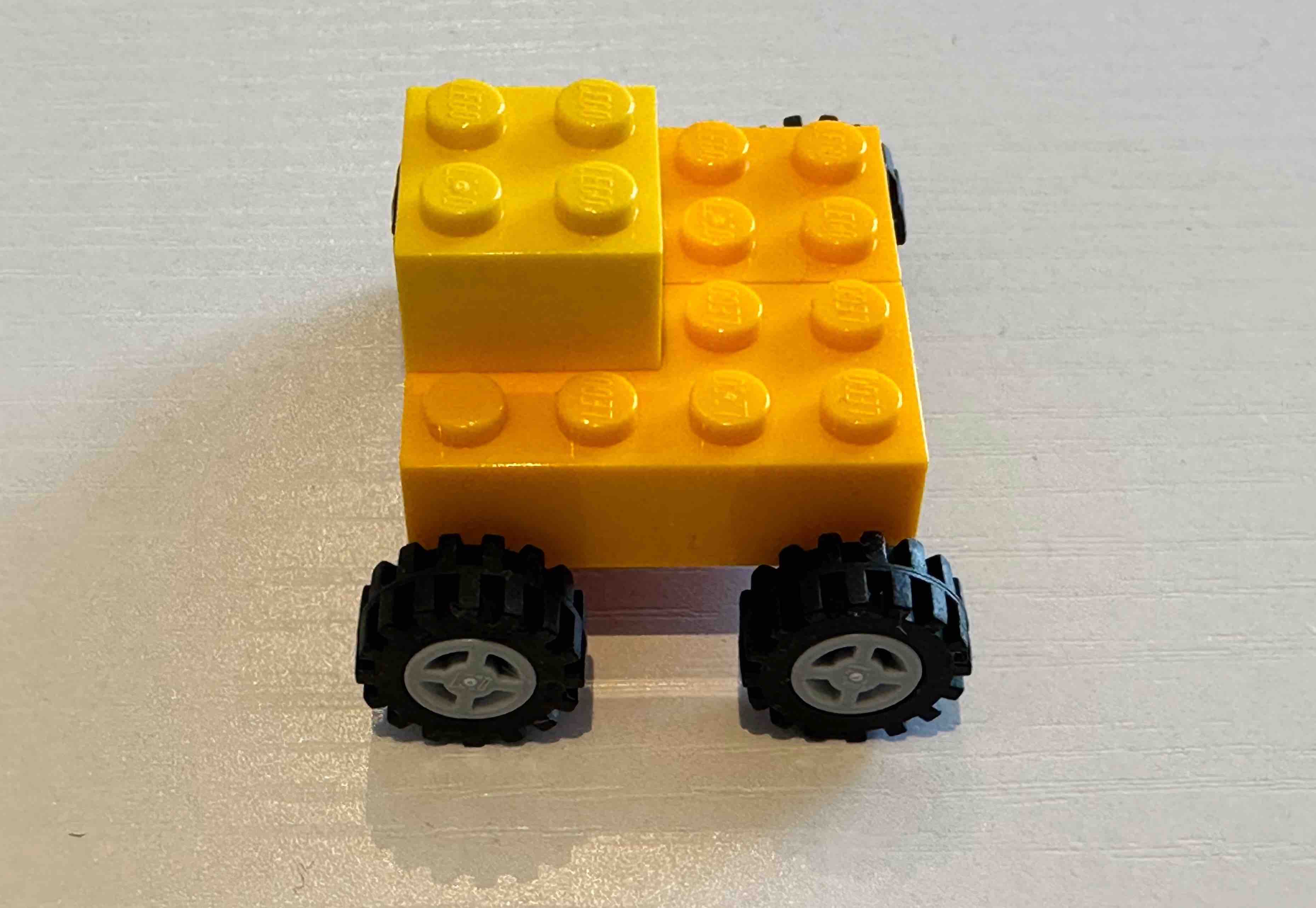
Take your 2x3 brick and attach it to the front of the car, just behind the
front wheels. This will create the front of the car.
This step was easy. See Figure 3-a.
Step 5: The Windshield
Step 5: Build the Windshield

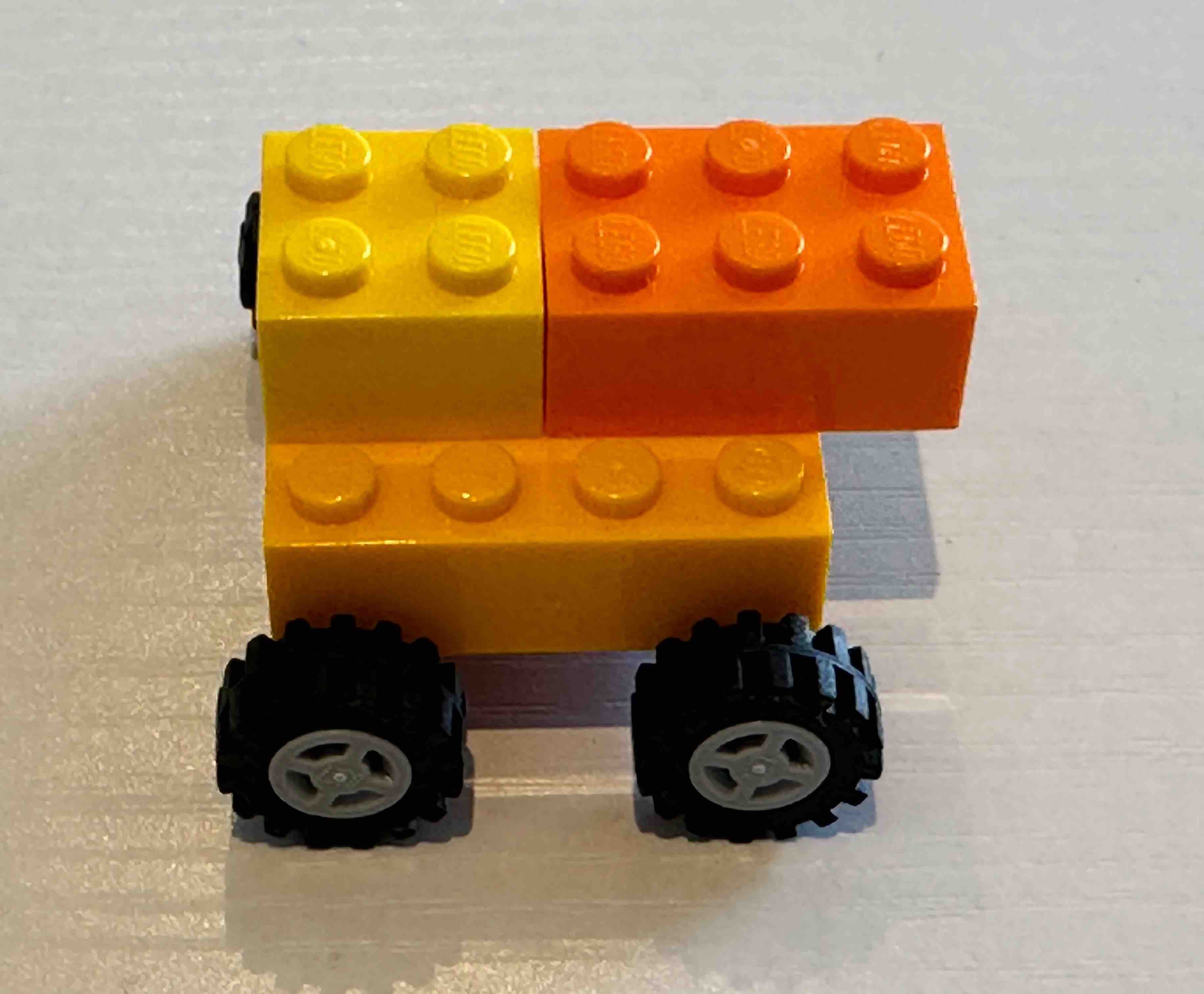
To create the windshield, attach your 2x2 sloped brick to the top of the 2x3
brick. Then, attach your 2x1 sloped brick to the top of the 2x2 sloped brick.
This will create a slanted windshield for your car.
My slanted windshield is shown in Figure 3-b. I am not sure what the purpose of the 2x1 sloped brick is. The car is starting to look like a rooster to me!
Step 6: Add the Steering Wheel
Step 6: Add the Steering Wheel

Take your steering wheel and attach it to the center of the 2x2 sloped brick,
just below the windshield.
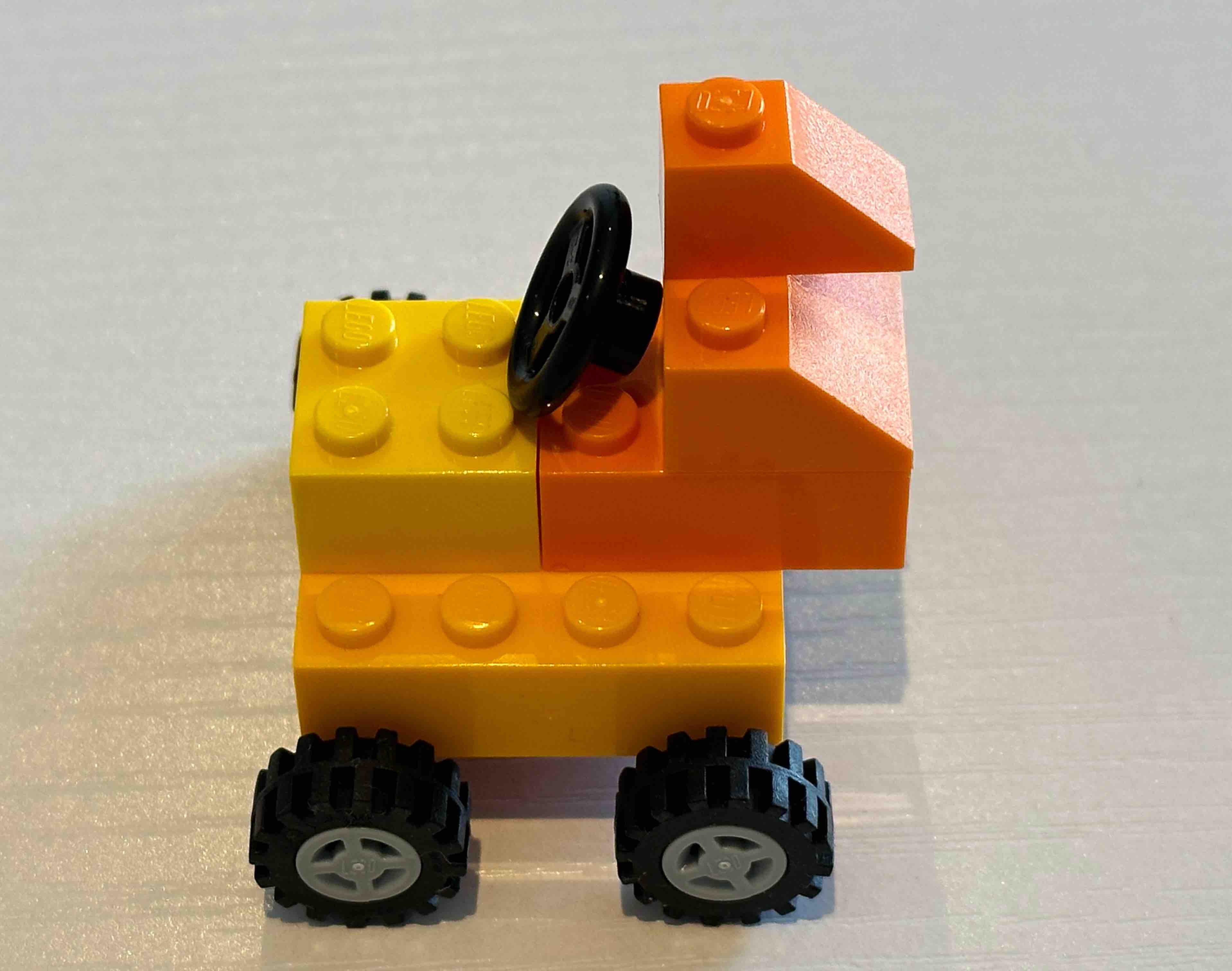
Another tricky step, with the keyword Add. There are a few things that are odd with this step. First of all, what is the center of a 2x2 sloped brick? Secondly, the 2x2 sloped brick is already attached to other pieces. There is no space for attaching anything below it, or the windshield. Finally, there is not enough space to fit the steering wheel anywhere in that area.
I know this is a lot to expect a language model to have an accurate spatial imagination of a construction like this, but it is interesting to see where it fails.
To make progress, I am just “putting” the steering wheel close to the windshield, instead of attaching it (Figure 3-c).
 |
 |
 |
|---|---|---|
| 3-a | 3-b | 3-c |
Step 7: Back of the Car
Step 7: Build the Back of the Car

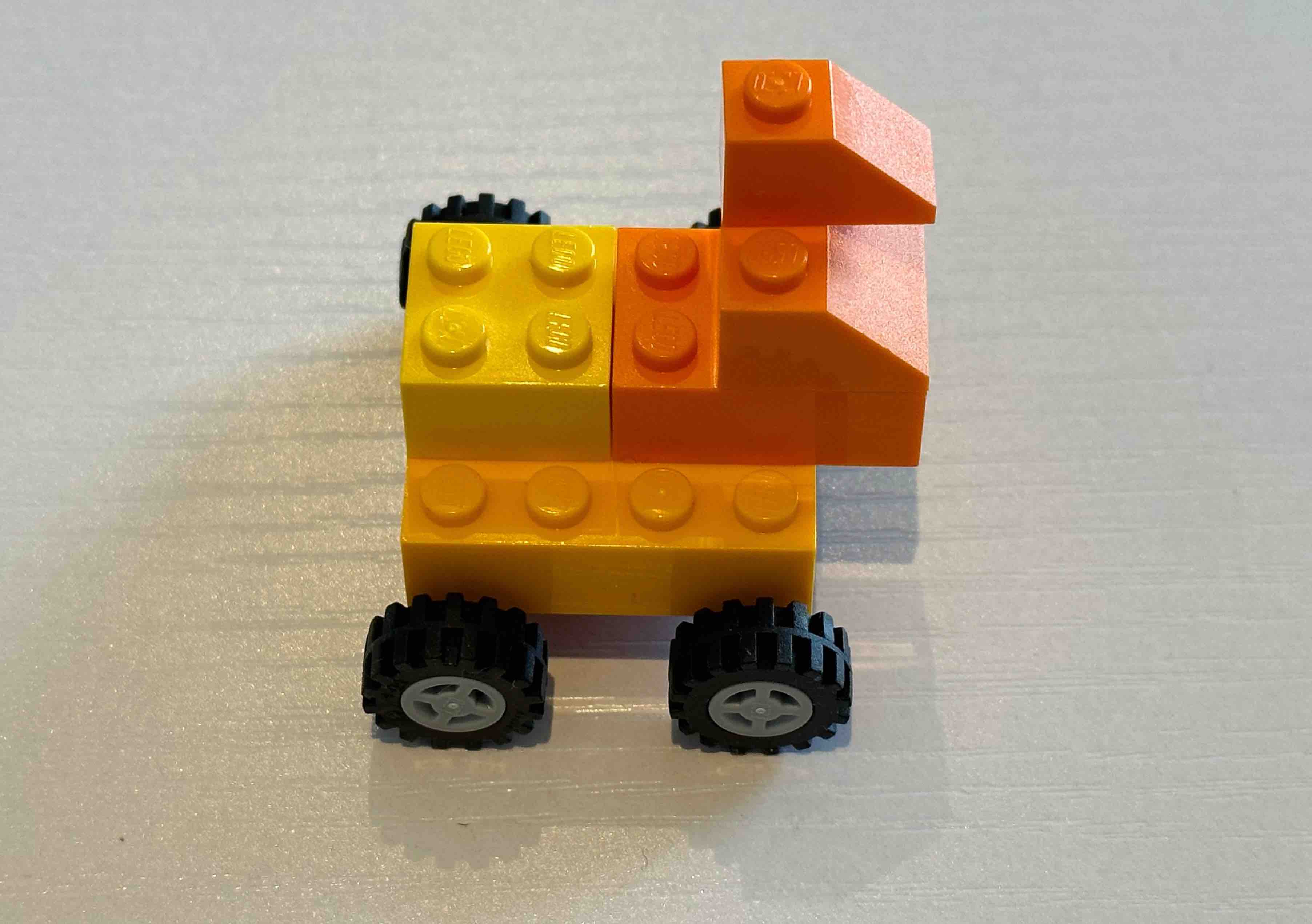
To create the back of the car, take your 2x2 brick and attach it to the back of
the base. Then, attach your 2x1 brick to the back of the 2x2 brick.
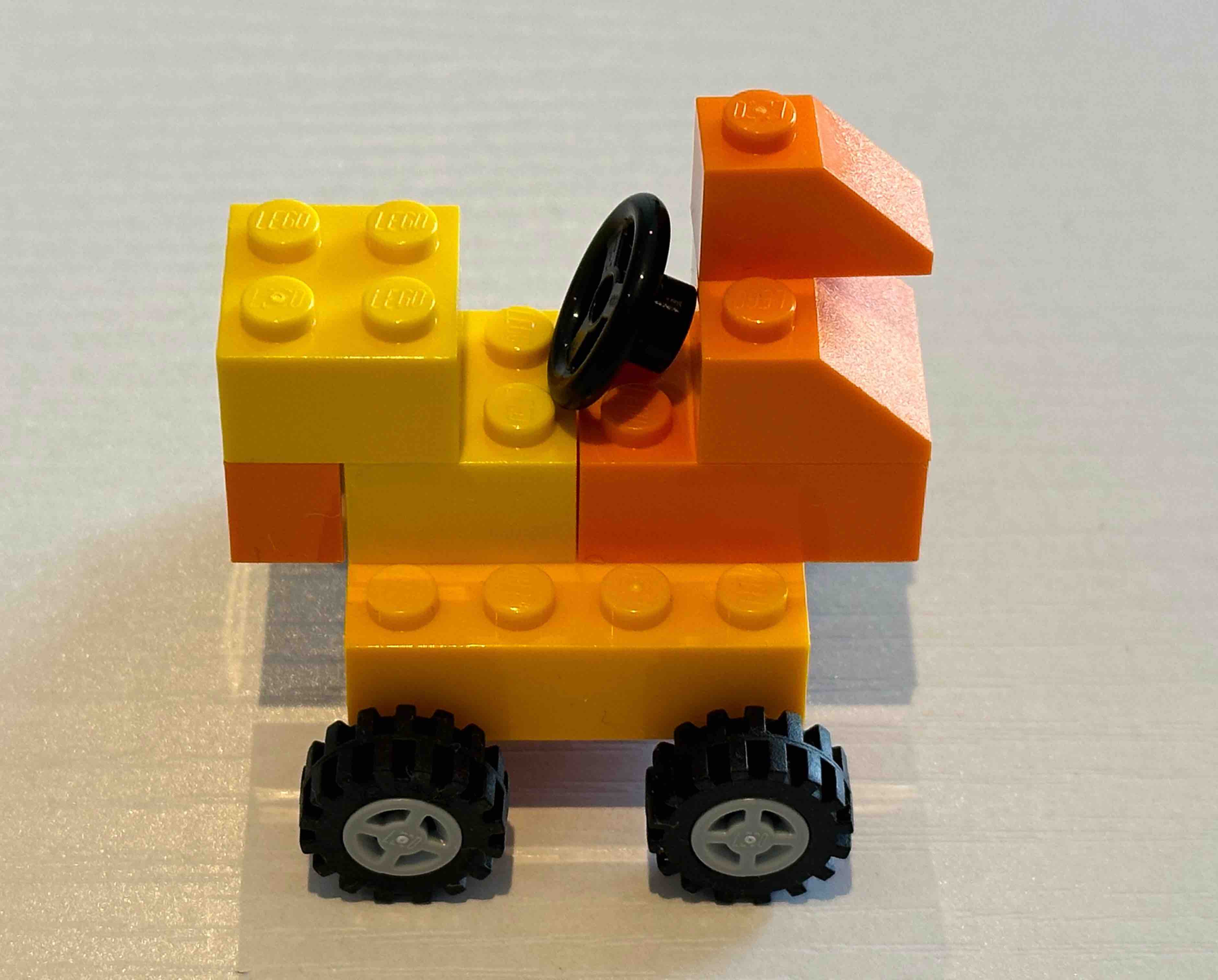
This part went well. Now the car, in Figure 4-a, resembles a rooster even more!
Step 8: Add the License Plate
Step 8: Add the License Plate

Take your 1x2 plate and attach it to the back of the car, just below the 2x1
brick. Then, attach your 1x1 tile to the center of the plate. This will create
a license plate for your car.
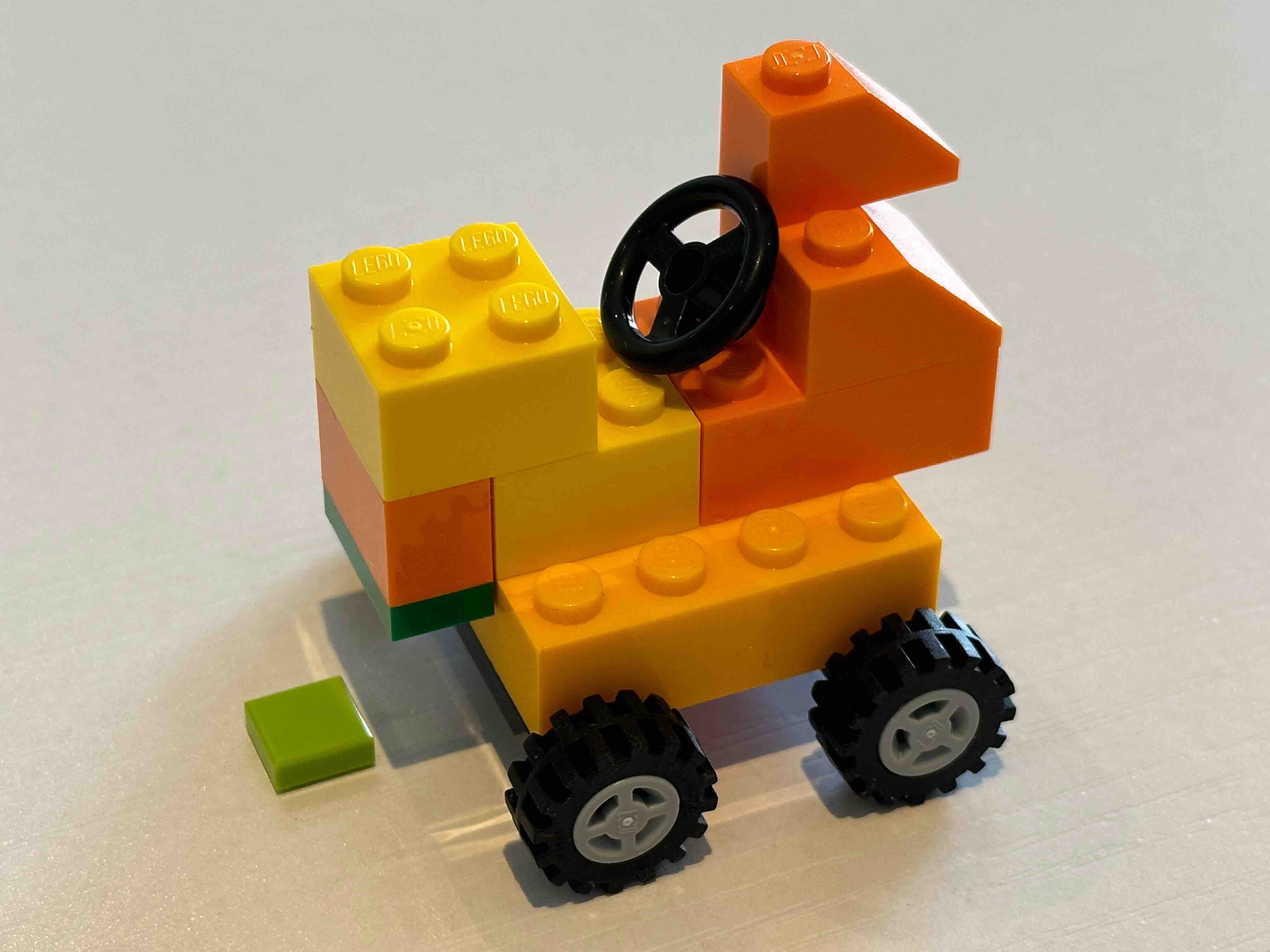
I cannot figure out how to attach the license plate. Let’s for now, very suspiciously, put the tile just below the center of the 1x2 plate.
The Finished Car
Step 9: Finish the Car

Finally, take your 1x1 plate and attach it to the top of the 2x1 brick at the
back of the car. This will create a small spoiler. Your Lego car is now
complete!
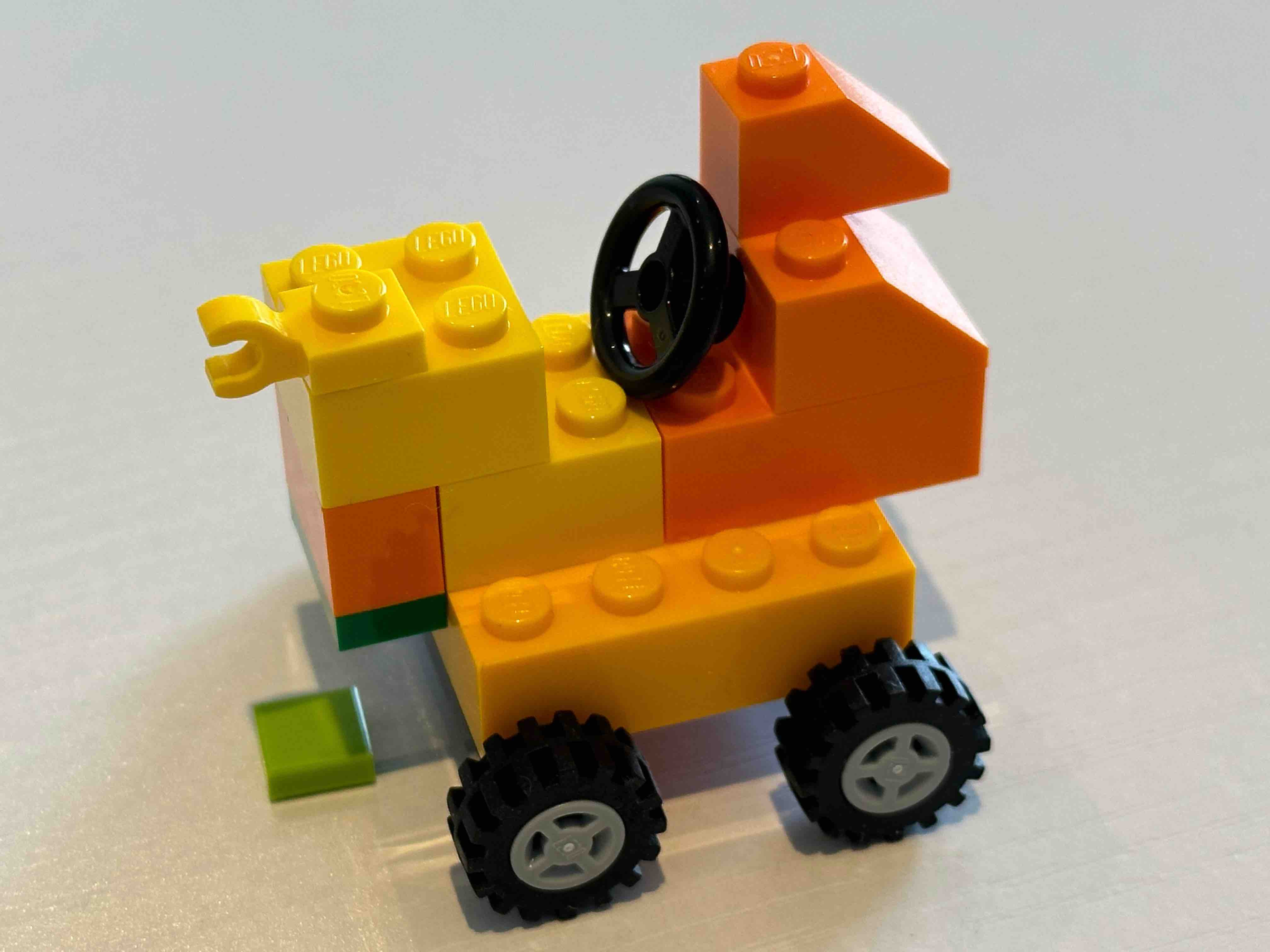
Really?! Anyway, Figure 4-c shows my completed Lego car, following these instructions!
 |
 |
 |
|---|---|---|
| 4-a | 4-b | 4-c |
ChatGPT never used the 1x2 tile that was in the list of required pieces. I did not follow up on that with it.
I prefer my car to be one single piece, so I made some tweaks, but my tweaks did not fix the rooster look!
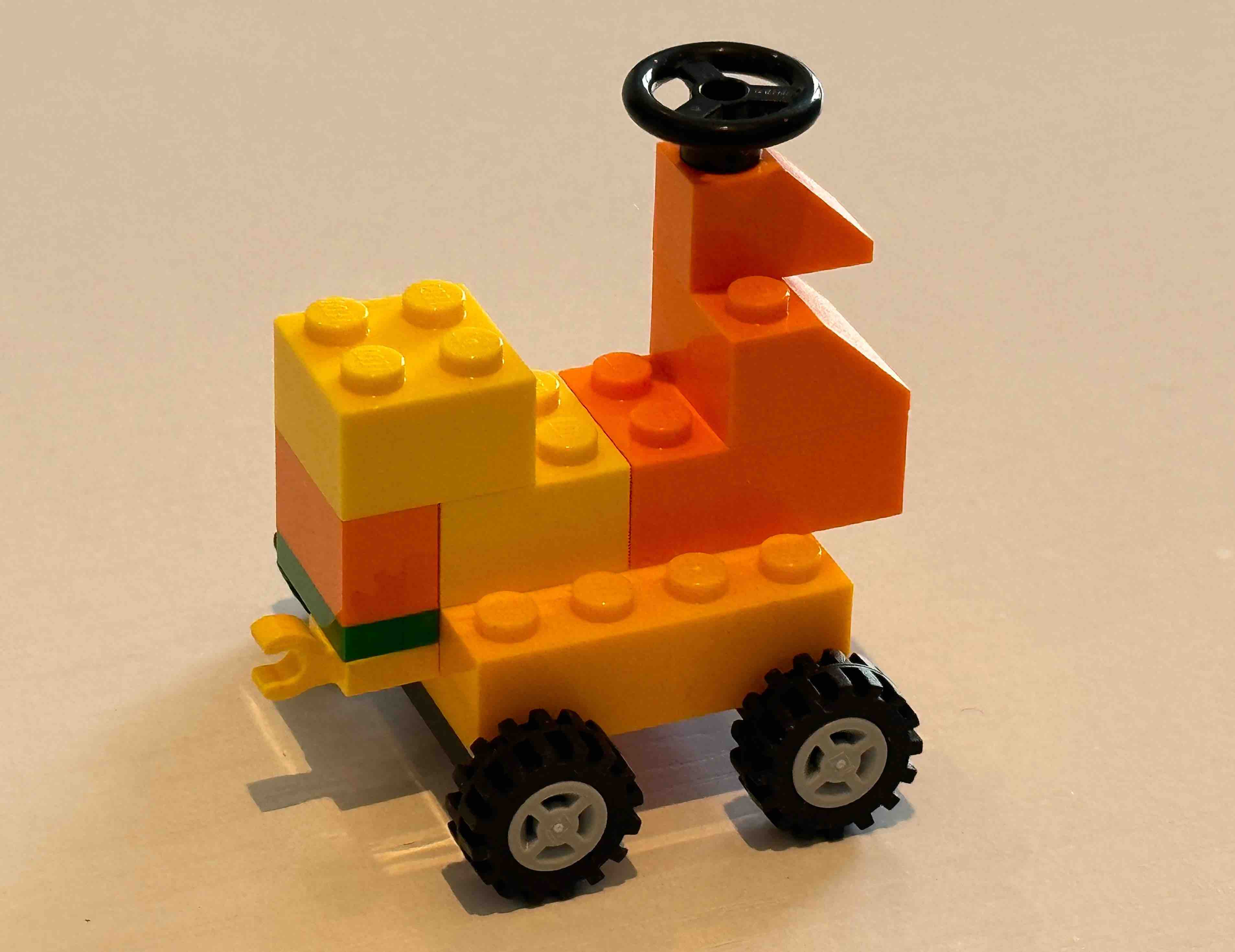
While this is impressive, and ChatGPT got many steps right, it failed at more complicated steps. In particular, where some spatial reasoning was required. This experiment is a good demonstration of ChatGPT’s performance on tasks were reasoning (in this case spatial reasoning) and precision are required.
In one of my earliest experiments with ChatGPT, I asked it to draw the truth table of a simple logical formula. While it drew very nice tables, with all the rows, to my disappointment, it failed to correctly calculate the truth values for all the rows. So I tried to walk it through the process. At some point during the debugging, ChatGPT produced the following explanation for its calculation:
In other words, the logical or operation is true if at least one of the
operands is true, and it is false only if both operands are false.

In the case of (a2 v a4), both operands are false. However, since the logical
or operation is true if at least one of the operands is true, the overall
expression (a2 v a4) is true even though both operands are false.
I want you to focus on the last sentence: “However, since the logical or operation is true if at least one of the operands is true, the overall expression (a2 v a4) is true even though both operands are false.”
I don’t know how to argue with this! If a person said it to me, I’d leave their presence and never get anywhere near them! To be honest though, I think, the average person does struggle with simple logic. So perhaps it should not be surprising that ChatGPT produces text like this, as it is largely trained on text produced by ordinary people. In my opinion (and I am not an expert), fixing the reasoning problem requires serious engineering work on the design and building of these generative models.
GPT 4 on the Task
About a month later, I repeated the experiment with the GPT-4 model. To my disappointment, GPT-4 was not any better.
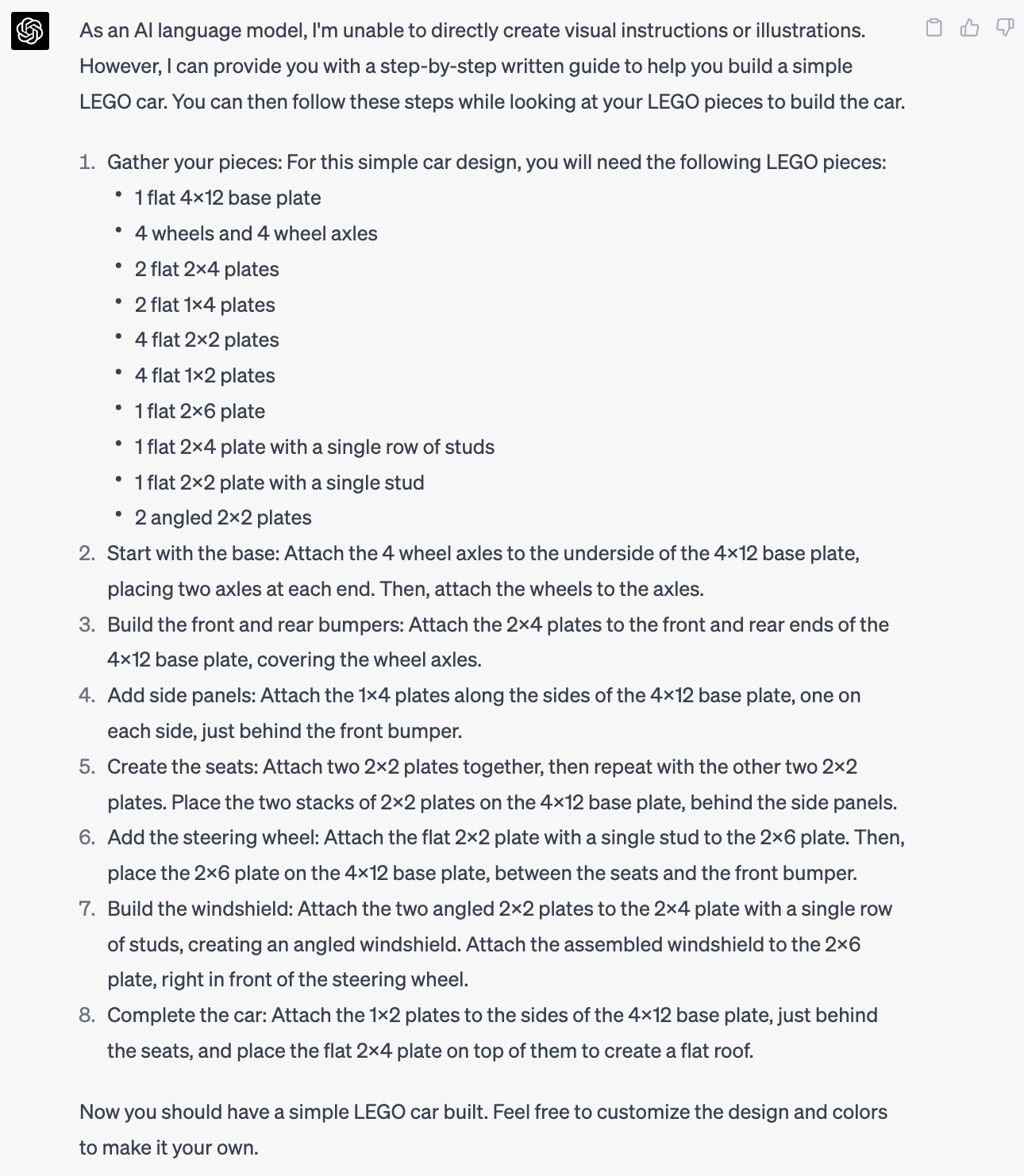
It still struggles with the attachment of the pieces. Consider the following instruction:
2. Start with the base: Attach the 4 wheel axles to the underside of the 4x12
base plate, placing two axles at each end. Then, attach the wheels to the axles.
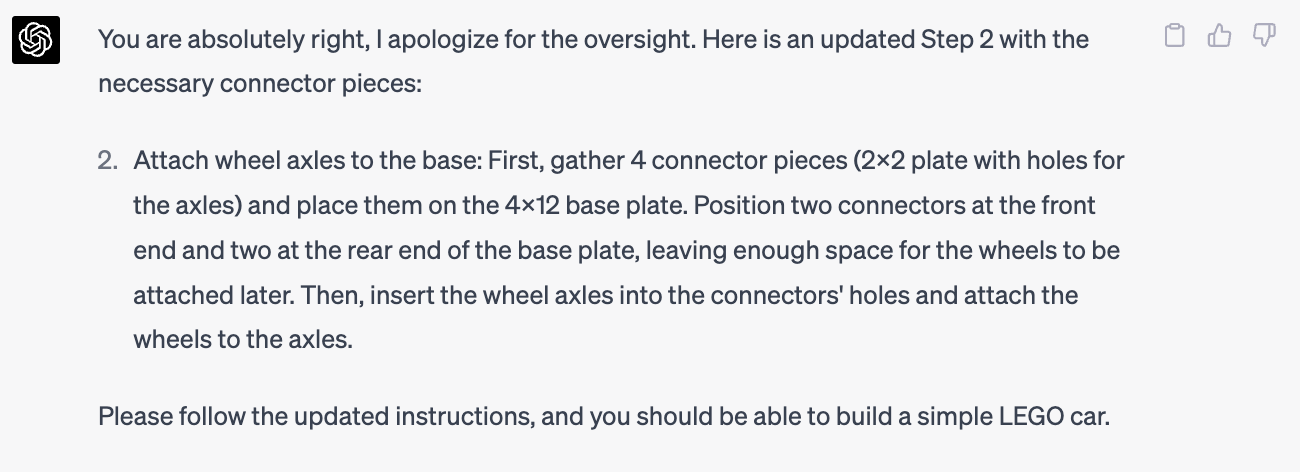
You cannot just attach an axle to a plate! You need some connectors. So ChatGPT (still the GPT-4 model) corrected that step:
Bard Does not Feel Like It!
Before finishing this post, let’s see how Bard performs on the task.
Me: Please generate descriptive Lego instructions for building a small car from Lego bricks.
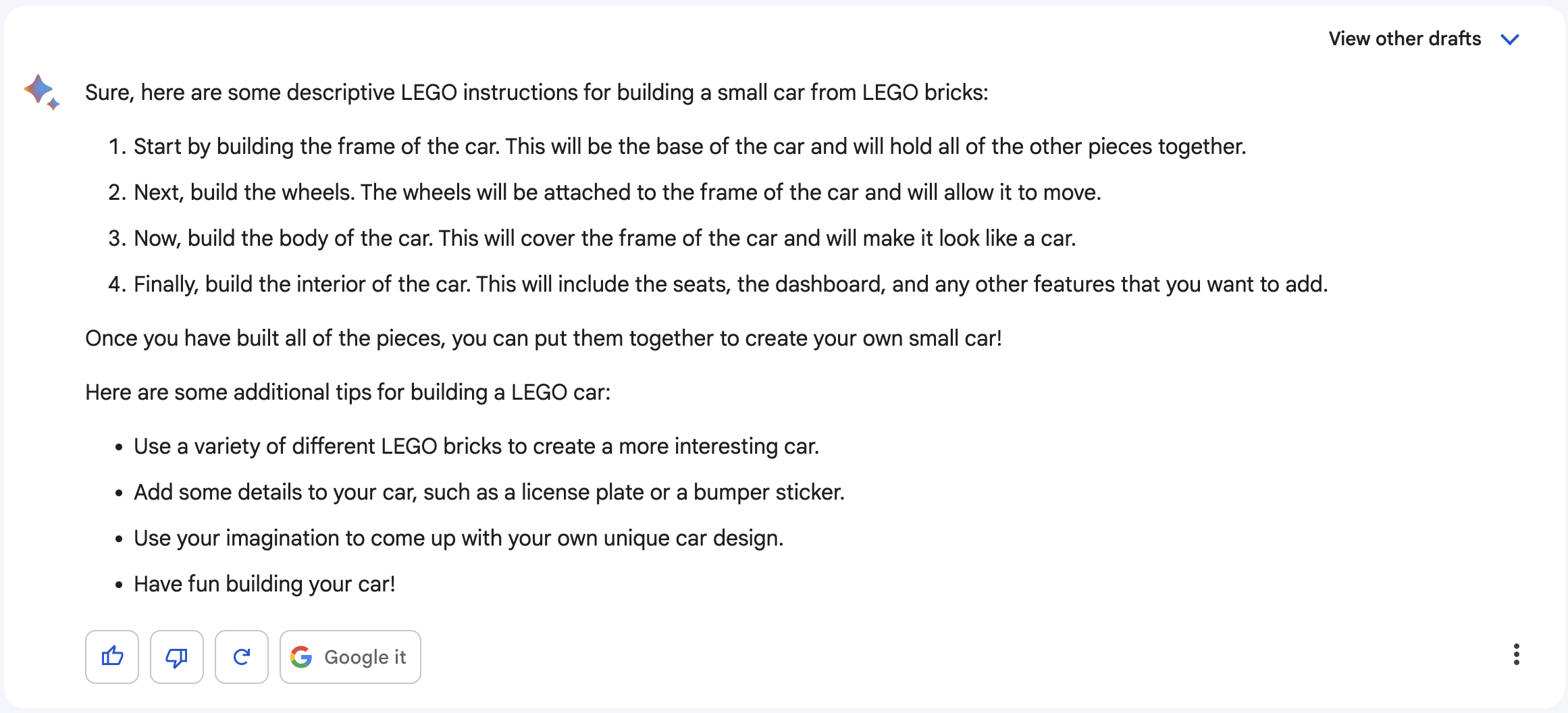
Bard, as usual, gives a very high level answer. I like how it advises me on using my imagination. I was hoping to get a taste of its own imagination. So I asked it to be a bit more specific, and give me step-by-step instructions.
Me: Can you be a bit more specific? I was looking for step-by-step instructions.
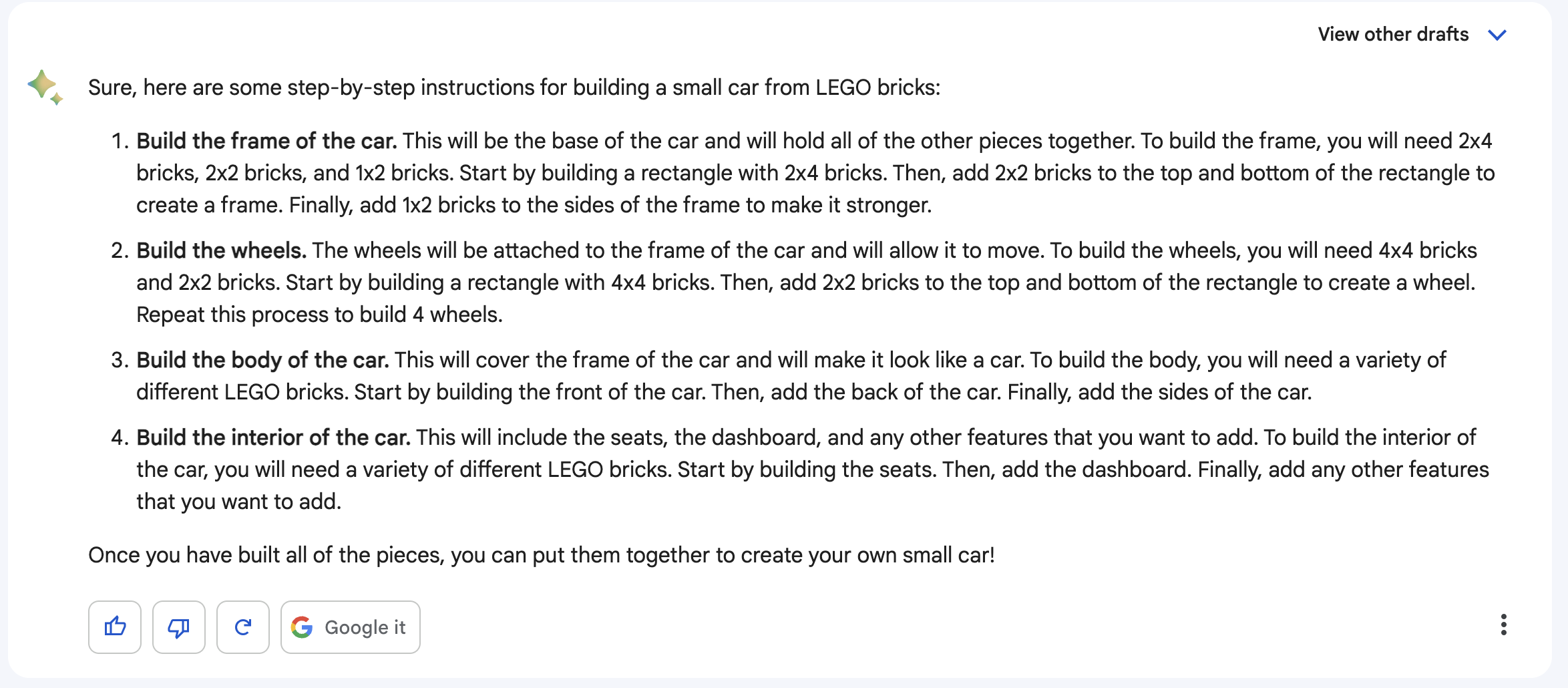
Not as detailed and structured as ChatGPT’s response, but at least now it is talking about specific Lego bricks and how to attach them.
I particularly like the instruction for building the wheels:
To build the wheels, you will need 4x4 bricks and 2x2 bricks. Start by
building a rectangle with 4x4 bricks. Then, add 2x2 bricks to the top and
bottom of the rectangle to create a wheel.
This is a nice approximation of a wheel, if all you have are bricks. And after this, Bard is back to its style of giving a high level description and no specifics.
Final Remarks
It should not be surprising that these language models don’t have a good grasp
of the interface between the Lego pieces. Lego instructions are visual, with
hardly any text on them. The only virtual Lego design tool that I know of is
the Bricklink Studio,
which stores Lego designs as .io files that do not have a textual format and
can only be parsed by the Bricklink Studio software. So there is essentially no
reliable text on Lego designs to train these language models on.
The good news for Lego designers, and IKEA designers too, is that their jobs are safe!